Documentation
Getting started
Two-Factor Authentication (2FA)
Two-Factor Authentication (2FA) is an additional security layer that protects your account even if your password has been compromised.
Within the Skalpy ecosystem, enabling 2FA is a mandatory requirement for adding API keys and accessing trading functionality.
Prerequisites
You will need an authenticator app installed on your mobile device:
Google Authenticator
Microsoft Authenticator
2FAS or similar tools.
Step-by-Step Instructions
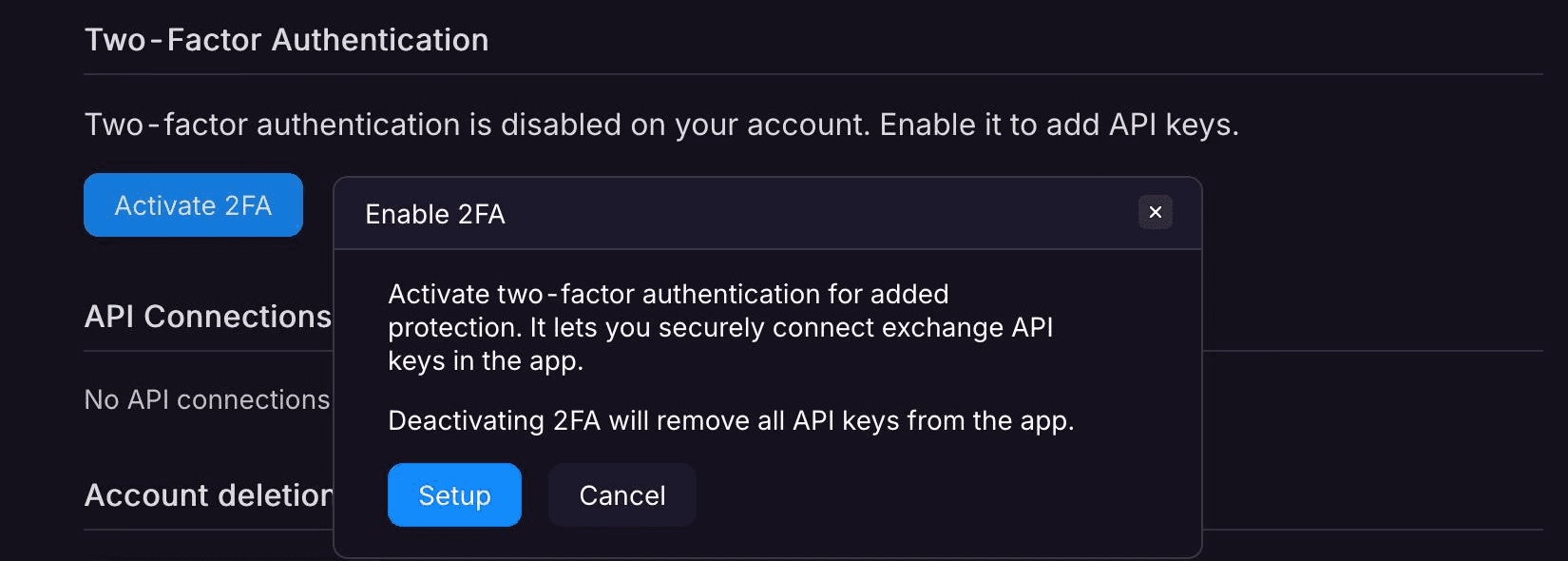
Navigate to Settings: Open Skalpy on any platform (Web, iOS, or Android) and go to Settings → Account.
Enable 2FA: Locate the "Two-Factor Authentication" section and activate 2FA.
Secret Key Backup: The system will display an alphanumeric secret key.
Important: Save this key in a secure location. You will need it to restore access if you lose your authenticator app.
Device Linking: Open your authenticator app and select "Add new account." Scan the QR code displayed on the screen or enter the secret manually.
Confirmation: Enter the 6-digit one-time code generated by the app into the verification field within Skalpy and confirm it.
From now on, the terminal will request a 2FA code every time you log in.
Troubleshooting
Ensure that the time on your mobile device or computer and authenticator is synchronized with network time. Even a slight discrepancy can cause the code to be rejected.
If you lose access to your authenticator app, use your saved Secret Key to re-link your account in a new app.
If you have lost both your secret key and access to the app, contact us via email at help@skalpy.com from your account address.