Documentation
Getting started
Trade Feed
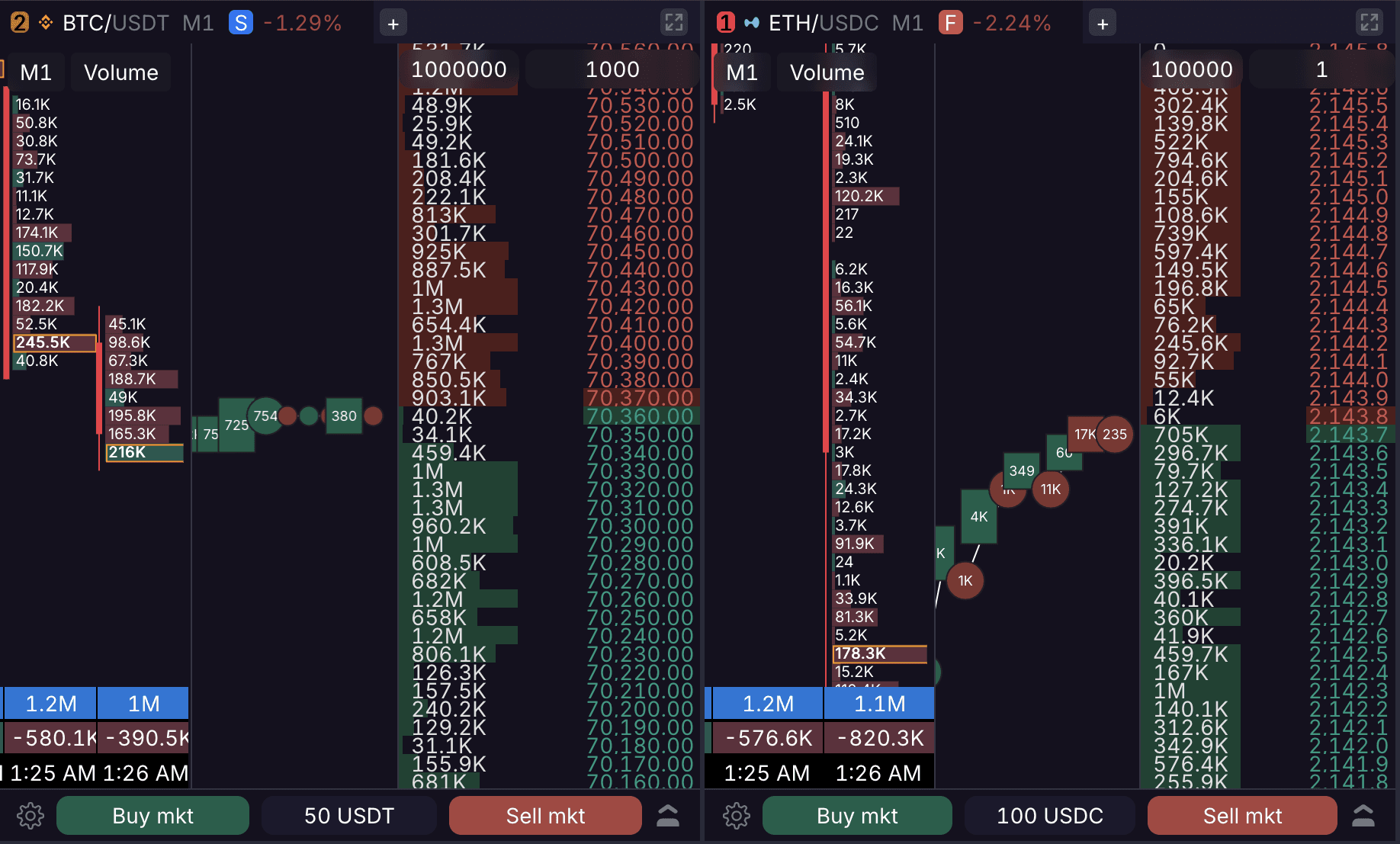
The Trade Feed provides a real-time stream of executed trades for the selected pair. While the order book shows "intent" (orders), the Trade Feed shows "action" (trades). It functions as a tick chart, using volume bubbles and blocks to represent execution flow.
Visual Mechanics
Directional Data: Buy trades highlight in green, while sell trades highlight in red.
Volume Bubbles: Trades appear as colored circles at their exact execution price level. The circle size is proportional to the trade volume within the visible area.
Sequential Display: Trades with alternating directions (e.g., Buy, Sell, Buy) do not group. They render instantly as separate circles in the exact order they execute, even if multiple occur within a single second.
Volume Formatting: Values under 1 display decimals (e.g., 0.1). Values over 1,000 use 'K', and values over 1,000,000 use 'M'. Trades with a volume under 0.01 render as empty circles, which are visually smaller than standard bubbles.
Trade Aggregation
Rectangular Blocks: Consecutive trades executing in the same direction within a 250ms window group together into a rectangular block. This applies whether the trades occur at the exact same price level or across adjacent levels.
DOM Sync: When you adjust DOM settings to compress price levels, the Trade Feed aggregates trades to match the compressed price. Buy and sell volumes at the new level merge into a single side using mathematical rounding (>= 0.50 rounds up, <= 0.49 rounds down).
Usage in Scalping
Traders use the Trade Feed in conjunction with the order book and clusters to confirm price action. A sudden increase in feed velocity or the appearance of large aggregated blocks often precedes a breakout or a sharp reversal, helping identify institutional or market-maker activity instantly.