Documentation
Getting started
Trading Panel & Order Settings
Overview
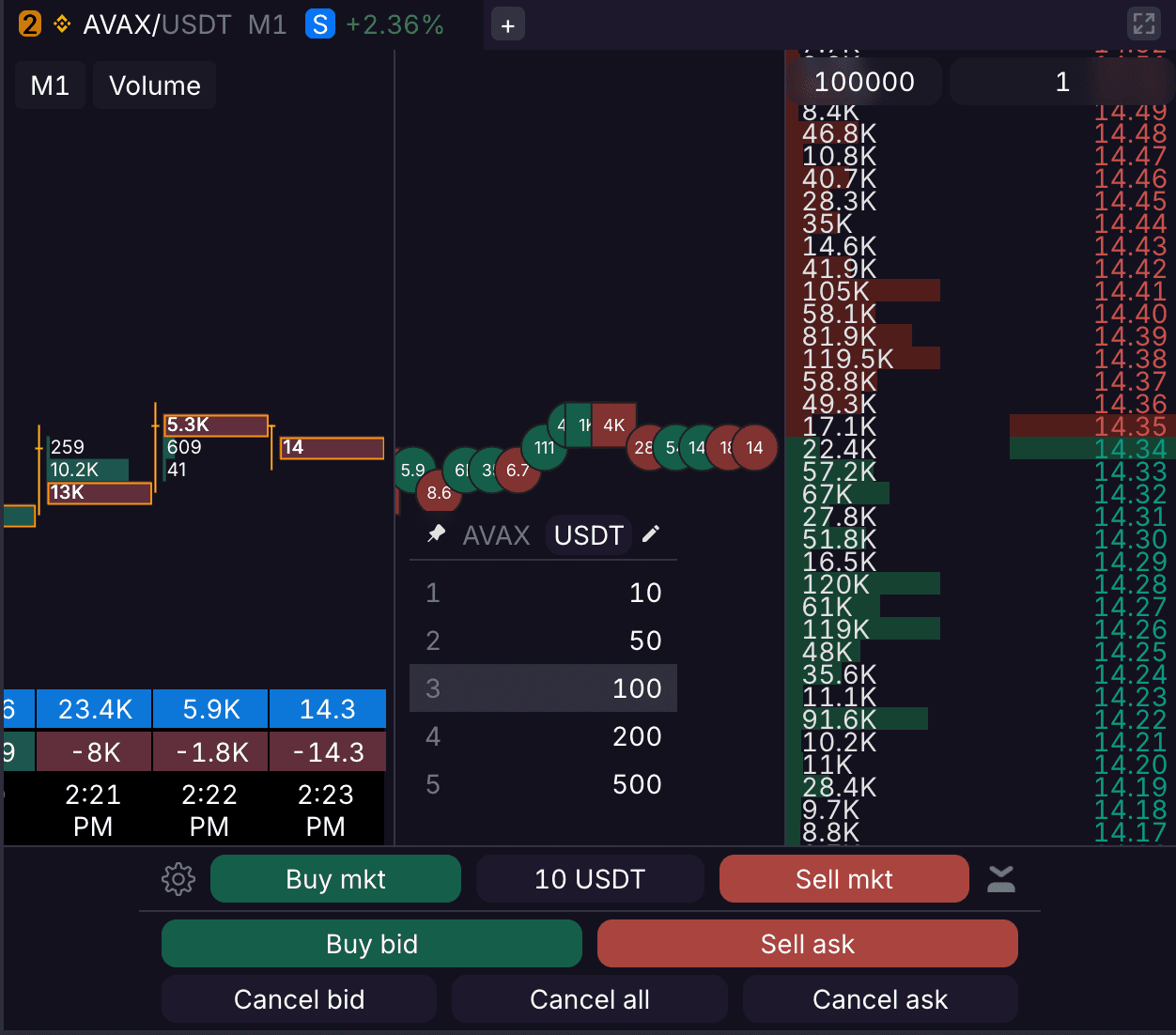
The Trading Panel is located at the bottom of the DOM tab. It provides high-speed execution for market and limit orders, position management, and customizable presets. Use the drag handle to switch between compact and expanded views.
1. Execution Buttons
Buy Mkt / Sell Mkt: Immediate execution at the current market price.
Buy Bid / Sell Ask: Places a limit order at the best Bid or best Ask price.
Amount Picker: Tap to switch between order size presets (e.g., 10 USDT, 1 ETH). These can be customized in its settings.
2. Position & Order Management
Note: All actions performed in this section apply only to the current trading pair.
Cancel Bid / Cancel Ask: Removes all buy or sell orders, respectively.
Cancel All: Cancels all open orders.
Close All: Closes the current position at market price and cancels all open orders (Panic Button).
Flatten All: Closes all open positions at market price.
Reverse: Closes the current position and immediately opens one of the same size in the opposite direction.
3. DOM Order Settings
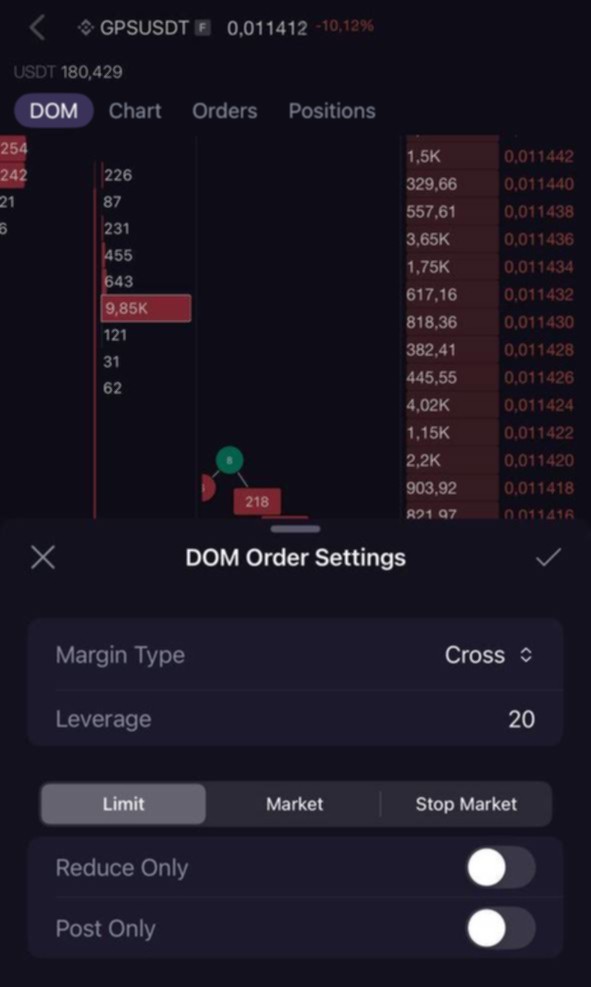
Tap the Gear Icon (⚙️) to configure your parameters for each order type:
Margin Mode: Switch between Cross and Isolated margin.
Leverage: Adjust your multiplier via the slider or manual input.
Reduce Only: Ensures the order only closes or reduces a position, never opening a new one.
Post Only: Guarantees your limit order enters the book as a "Maker" or is canceled.
4. Order Confirmations
To prevent accidental trades, you can enable order confirmations. On the mobile app, this toggle is located in your Account settings. On the web terminal, it is enabled by default and can be disabled in the order confirmation dialog.